Does an Audio Power Supply Upgrade Really Clean Up Sound?
Last Updated: November 16, 2026
Quick Summary
An audio power supply upgrade can clean up sound, but only when noise from the existing audio power supply is actually reaching your signal path. Replacing a basic switch-mode brick with a quiet linear supply can reduce power-supply noise reaching the equipment. A cleaner supply will not help every system.
- Power-supply noise often shows up as faint hiss, a hard edge on vocals, or splashy cymbals that stay constant as volume changes.
- The front end deserves your first dollar because noise introduced there gets amplified by everything after it.
- A power conditioner helps when noise comes from the AC line, not from inside your components.
- Match the replacement supply on output type, voltage, current, polarity, connector size, and grounding.
- Level-match to within about 0.1 dB and blind the comparison, or you will hear a false improvement.
Table of Contents
- Can a Power Supply Upgrade Actually Clean Up Your Sound?
- Switching vs. Linear Power Supply for Audio: What the Difference Means in Practice
- Why a Linear Power Supply for DAC and Streamer Upgrades Pays Off First
- When a Power Conditioner for Audio Helps, and When It Doesn't
- How to Reduce Noise in a Home Audio System by Symptom
- A Safe Upgrade Procedure and Compatibility Checklist
- Controlled Listening Tests: How to Tell If the Upgrade Actually Changed Anything
- Choosing the Right Power Upgrade for Your System
- Frequently Asked Questions
Can a Power Supply Upgrade Actually Clean Up Your Sound?
Yes, an audio power supply upgrade can clean up sound, but only when noise from the existing audio power supply is actually reaching your signal path.
The honest answer depends on your gear, your wiring, and what you are hearing. Here is how to tell whether a cleaner supply is the fix.
What Power-Supply Noise Sounds Like
Power-supply noise rarely announces itself as a hum. More often it shows up as a faint hiss between tracks, a hard edge on female vocals, or cymbals that sound splashy instead of clean. The signature is that it stays constant while the volume goes up and down.
Where the Noise Enters the Signal Path
Noise enters through the component's power input, then rides the internal rails into the analog stage. Digital sources are especially exposed. If you are tracing the problem back to your converter, our guide to the best DAC for audiophile systems explains how a clean supply pairs with a good DAC.
Switching vs. Linear Power Supply for Audio: What the Difference Means in Practice
A switching supply converts power rapidly and filters the output, while a linear supply regulates voltage with a transformer and drops the switching noise entirely.
| Type | Strength | Weakness | Best For |
|---|---|---|---|
| Switching (SMPS) | Compact, cheap, efficient | Switching noise on the rails | Budget gear, non-critical devices |
| Linear | Quiet rails, simple design | Larger, heavier, costs more | DACs, streamers, music servers |
| Power conditioner | Filters incoming AC noise | Does not fix a noisy internal supply | Systems with dirty mains power |
A common mistake is buying a conditioner to fix noise that starts inside a component's own supply. Filtering the wall cannot clean a rail that is already noisy downstream.
Why a Linear Power Supply for DAC and Streamer Upgrades Pays Off First
The front end deserves your first dollar because noise introduced there gets amplified by everything after it.
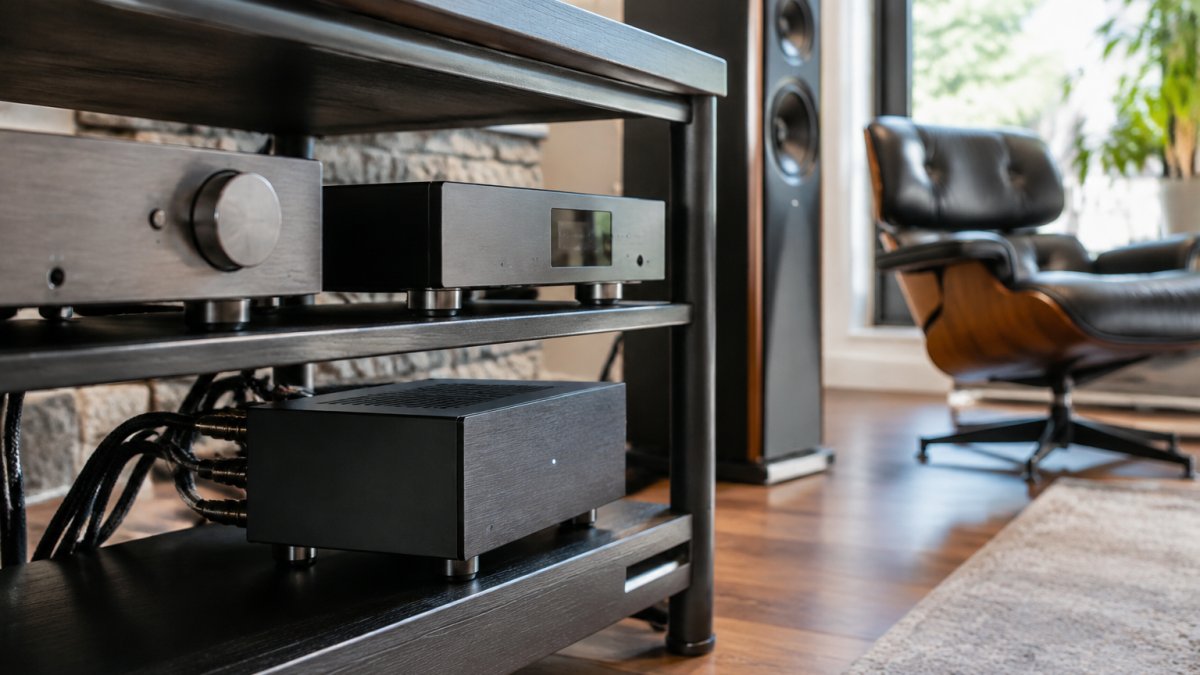
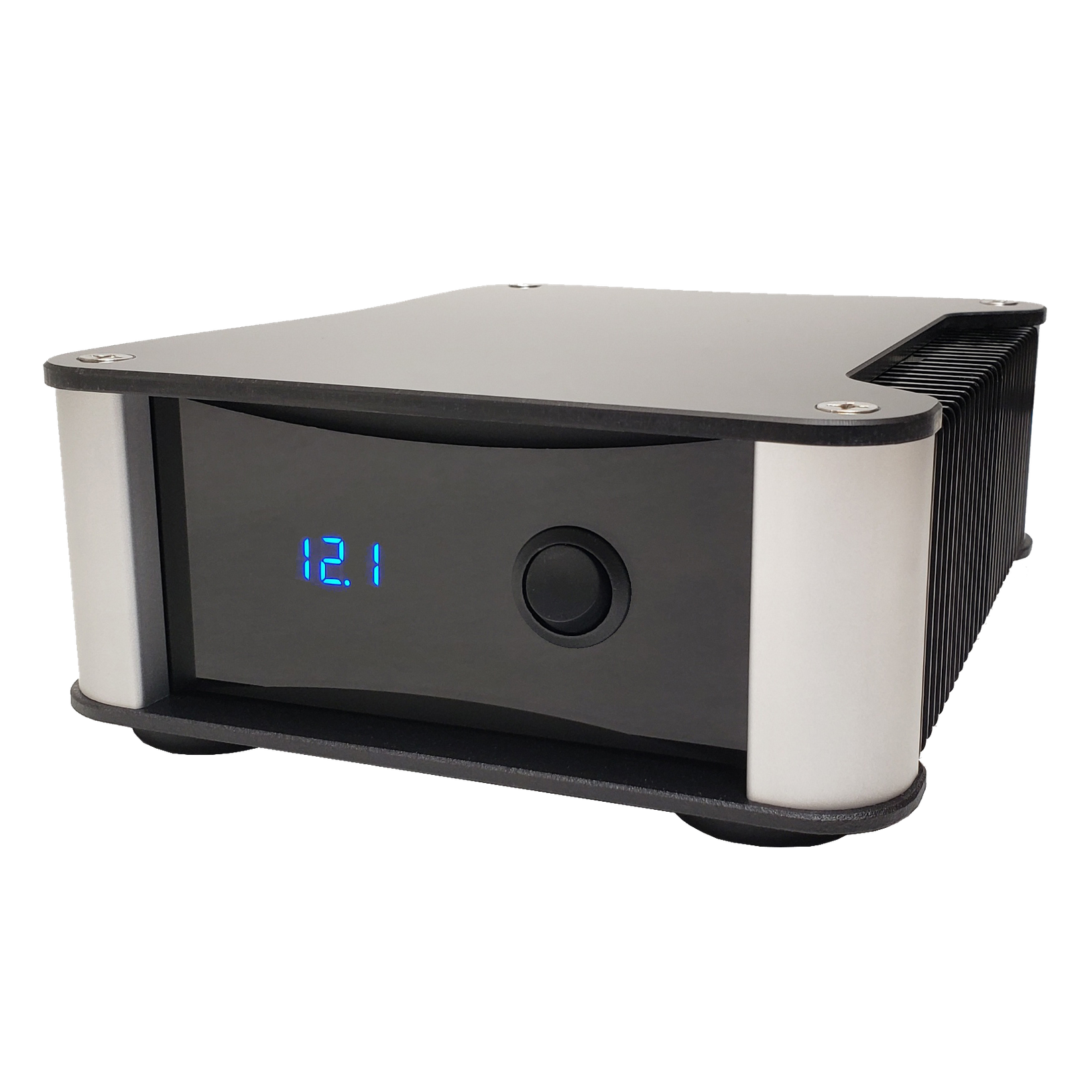
Our HCPS linear power supply delivers 4A of continuous output and lets you select 5V, 9V, or 12V, so one unit can power a music server, wireless router, network switch, or network storage device.
When a Power Conditioner for Audio Helps, and When It Doesn't
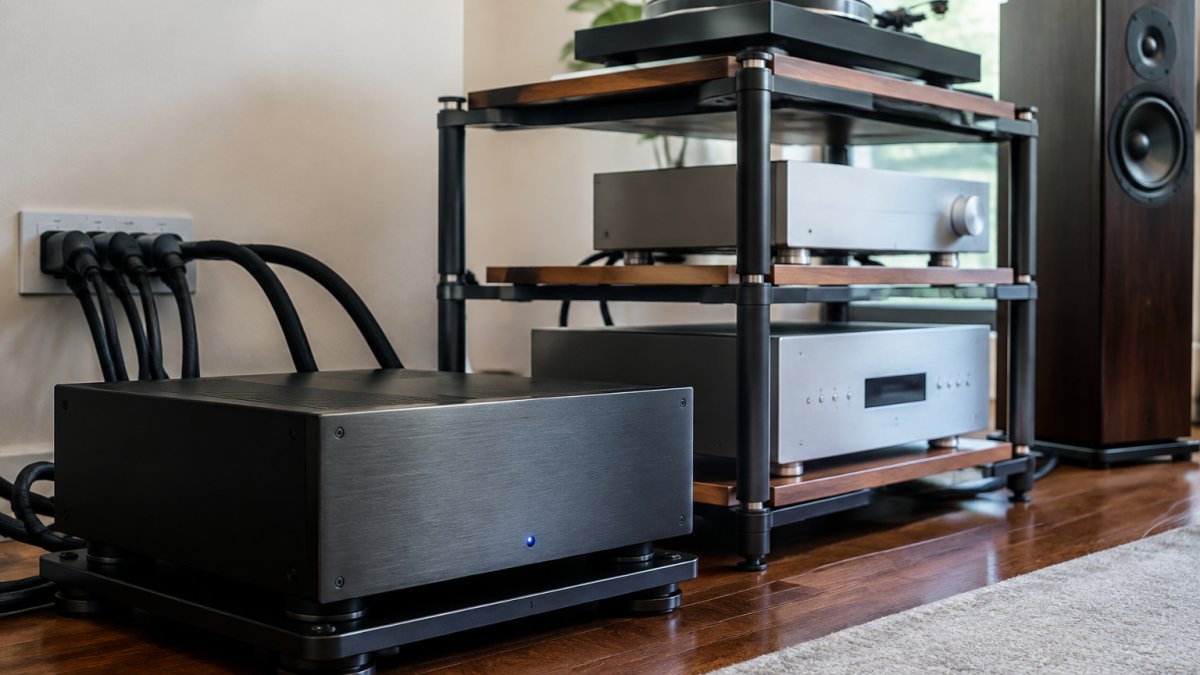
A power conditioner for audio helps when the noise is coming from the AC line, not from inside your components. Noise from the AC line can be filtered by a power conditioner before it reaches your gear.
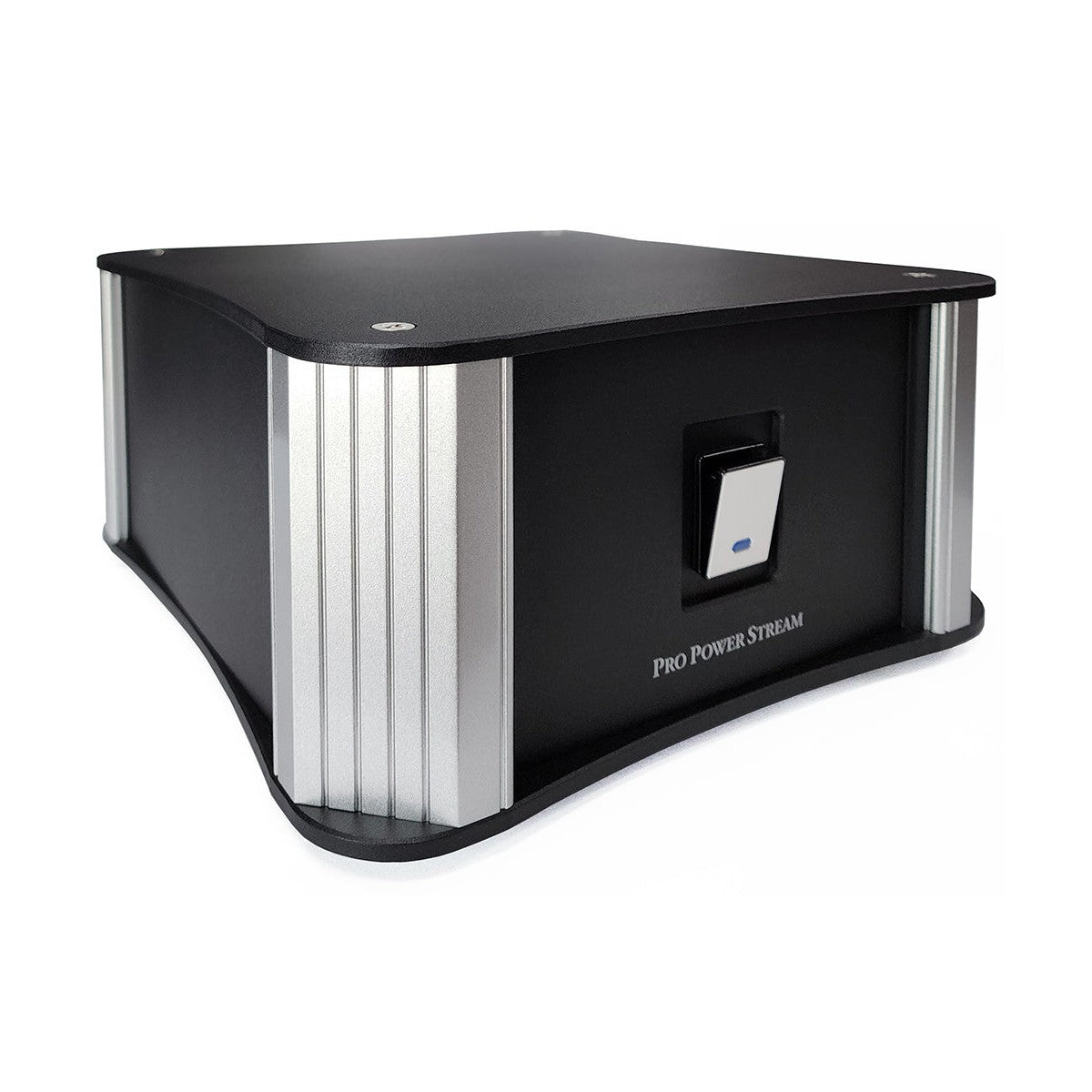
If your system shares a circuit with a refrigerator or dimmer switch, a conditioner is worth trying. Our Pro Power Stream power conditioner uses high-current filtering and an integrated DC snubber to help block DC spikes and isolate upstream noise.
How to Reduce Noise in a Home Audio System by Symptom
Learning how to reduce noise in a home audio system starts with matching the symptom to the source. Hum usually points to grounding or a ground loop, hiss to gain structure or a noisy supply, and harshness to digital noise or clipping.
- Hum: check interconnects, try balanced cables, isolate ground loops
- Hiss: lower gain, test with source disconnected, swap the supply
- Harshness: check digital cables, sample rates, and supply quality
A quick test: unplug the suspect source and listen. If the noise vanishes, the supply or that component is the source.
A Safe Upgrade Procedure and Compatibility Checklist
Most upgrade guides stop at "match the voltage." That is not enough. A replacement supply has to match the original on five electrical parameters and two physical ones, and getting any of them wrong ranges from a disappointing result to a dead component. Work through the sequence below in order.
Step 1: Read the original supply's label before you shop
Every external supply carries a label with its output type, voltage, current, and polarity. Photograph it and write the numbers down. You are looking for:
- AC or DC output. An AC-output supply feeds an unregulated winding into the device, where the component rectifies it internally; a DC-output supply delivers already-rectified power. They are not interchangeable, and connecting the wrong type can damage the component immediately.
- Nominal voltage. Common values are 5V, 9V, 12V, 15V, and 18V. The replacement should match exactly unless the manufacturer states a tolerance range.
- Current rating. The replacement must meet or exceed the original's rating. A supply rated below the device's draw will sag under load, run hot, and may shut down or fail.
Step 2: Confirm the device's actual requirements
The label on the original supply tells you what was shipped, not necessarily the full range the device accepts. Check the component's manual or the manufacturer's specification page. Some devices accept a voltage window (for example, 9V to 12V) and some are fixed; some specify a minimum current higher than the stock supply's rating because the stock supply was marginal.
Step 3: Verify current headroom
A linear supply running near its maximum output runs warmer and can sag on transient draws. If the original supply is rated 1A and the device draws 0.8A, a 1.5A or 2A unit is the safer choice. Headroom does not force current into the device, so a higher rating is safe as long as voltage and polarity match.
Step 4: Check grounding and isolation
Some supplies tie the output return to earth ground through the AC inlet; others float the output. In a system with multiple grounded components, mixing grounded and floating supplies can create ground loops and audible hum. A floating supply is often the quieter choice for a digital source, but confirm the component does not require a grounded return.
Step 5: Plan for heat and physical fit
Linear supplies dissipate more heat than switching bricks and need ventilation. Do not stack one under a component or enclose it in a cabinet with no airflow. Check dimensions against your space, and route the DC cable so it does not run parallel to interconnects for long distances.
Step 6: Power-down sequence and first listen
Power down and unplug all gear before swapping. Connect the new supply to the component first, then plug the supply into the wall, then power on the source before the amplifier.
Watch out: a reversed barrel connection or an AC supply connected to a DC input can fry a component instantly, and that damage is usually not covered by warranty.
Quick compatibility checklist
- Output type confirmed: AC or DC
- Nominal voltage matches the original or the manual's range
- Current rating meets or exceeds the device's draw, with 20 to 30 percent headroom
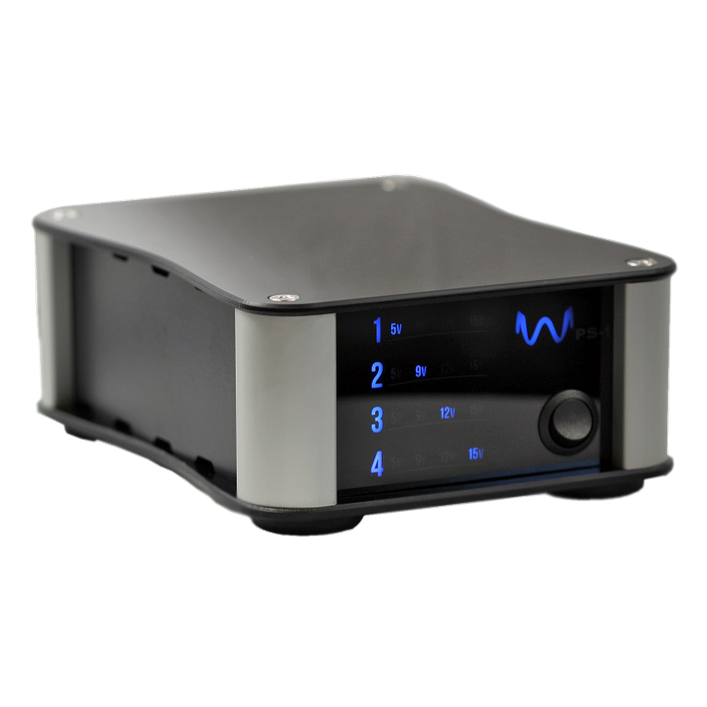
Our PS-1 modular power supply offers selectable 5V, 9V, 12V, or 15V output per module across four power zones, and additional modules can be added as your system grows. Even with a selectable unit, confirm each setting against the device label before you connect it.
Controlled Listening Tests: How to Tell If the Upgrade Actually Changed Anything
A controlled listening test is the only way to separate a real improvement from expectation bias, and it does not require lab equipment. The two controls that matter most are level matching and blinding. Without them, almost any change sounds different because almost any change is heard as different.
Why level matching comes first
A fraction of a decibel of level difference is enough to make one setup sound "clearer" or "more open" even when nothing else changed. Human hearing is more sensitive to level than most listeners realize, and a louder passage is consistently preferred in blind tests. Before you compare, match the two setups to within about 0.1 dB at the listening position using a sound level meter with a C-weighted slow setting, or a measurement microphone and free software.
Build a blind A/B procedure
- Set up both supplies so you can switch between them without moving cables during the test. If that is not possible, have a second person swap them.
- Level-match the two configurations as described above.
- Choose three or four short passages you know well: solo female vocal, acoustic instruments, dense mix, and quiet passages where hiss would be audible.
- Have someone else randomize which supply is A and which is B, and keep the key out of your sight.
- Listen to each passage several times per configuration, switching without knowing which is which. Write down a preference and a confidence rating for each pass.
- Repeat the run on a different day. A real difference survives repetition; a bias-driven preference often does not.
If you cannot pick the cleaner supply better than chance, the upgrade is not doing anything audible in your system, and that is useful information.
Add a basic noise measurement
Listening tests tell you what you hear; a measurement tells you whether the noise floor actually moved. Play a silent track or pause playback at your normal listening level and measure residual noise at the listening position with a measurement microphone and free analyzer software.
For a more direct look at the supply itself, a spectrum analyzer or a sound-card-based measurement setup can show switching spurs and their harmonics on the output rails.
Keep a written log
Record the date, the component, the supply, the passages used, the level-match readings, and your preference and confidence for each pass.
Watch out: comparing two supplies at different volumes, or knowing which one is connected, will reliably produce a false positive. Level matching and blinding are not optional if you want an honest answer.
When the test says no
If a controlled test shows no consistent preference and no measurable noise-floor change, the upgrade is not the right spend for that component. That is a valid result. It usually means the component's internal supply or grounding is already adequate, and the money is better directed at room treatment, speakers, or a component with a genuine bottleneck.
Choosing the Right Power Upgrade for Your System
Match the upgrade to the component and the symptom, not the price tag.
If you run a music server, our replacement music server power supply is available as a replacement for the server's power supply.
Cleaner sound starts with identifying where the noise actually comes from, then fixing that point rather than guessing.
Frequently Asked Questions
Do power conditioners improve sound quality?
They can reduce hum, hiss, and harshness when the noise is coming from the AC line or from other devices on the same circuit. A conditioner will not fix noise generated inside a component or picked up by a cable. The Pro Power Stream, for example, uses a DC snubber and high-current filtering to isolate upstream noise, but its output still has to be faithful to the input in amplitude, phase, and waveform. If your noise floor is already low, a conditioner may make no audible difference.
Is a linear power supply better than a switching power supply for audio?
It depends on the device and its own internal filtering. A linear supply typically has a lower noise profile, which is why replacing a stock wall-wart on a DAC, streamer, or music server is a common first step. A well-designed switching supply with balanced interconnects can also deliver a clean noise floor, . The deciding factor is whether the component's internal regulation rejects supply noise well; if it does, an external upgrade may produce little audible change.
Can a power supply affect DAC sound quality?
Yes, in some systems. A DAC's analog output stage and clock are sensitive to supply noise, so a noisy supply can raise the noise floor and add harshness. Replacing a switch-mode brick with a quiet linear supply, such as the HCPS or the modular PS-1, is one way to test this in your own system. The result is measurable at the output in many cases, but whether you hear it depends on the rest of the chain, your room, and how revealing your speakers are.
How do I know whether my audio system needs a power supply upgrade?
Start with a symptom check. If you hear hiss with no music playing, hum that changes when you touch a cable, or harshness that gets worse late at night, power or grounding is a likely culprit. Try a controlled test: play a familiar track, note the noise floor, then swap in a linear supply on one component and repeat. If the noise floor drops or the harshness softens, the upgrade is doing something. If nothing changes, the bottleneck is elsewhere in the system.